
Cover Letter Format That Actually Gets You Read

Unlock the secret to a cover letter format that catches attention! Learn how to structure yours for maximum impact with hiring managers.
The best cover letter format is one page, a few paragraphs, with a header that matches your resume exactly. Hiring managers skim in seconds, and applicant tracking systems scan for structure before content, so a clean, predictable layout keeps you in the running.
A strong cover letter includes:
- Header with contact information
- Date and employer address (when known)
- Salutation
- Opening paragraph
- One to two body paragraphs
- Closing paragraph with sign-off
Key Takeaways
A one-page, three-to-four paragraph cover letter with a resume-matching header and one quantified, job-specific example gives you the strongest shot at getting read.
| Point | Details |
|---|---|
| Stick to one page | Keep your letter between 250 and 400 words across three to four paragraphs. |
| Match your resume header | Use identical fonts, sizes, and contact fields across both documents. |
| Lead body paragraphs with STAR | Back every claim with a quantified example tied to the job description. |
| Address a named person when possible | Skip "To Whom It May Concern" and use "Dear Hiring Manager" only as a fallback. |
| Use Nuecareer to speed tailoring | The 7-Minute Career Quiz and cover letter generator help match roles and draft tailored letters faster. |
Table of Contents
- What Goes in Each Paragraph of a Cover Letter
- How to Format the Cover Letter Header and Contact Info
- Cover Letter Formatting Guidelines: Fonts, Margins, and File Type
- How Do You Tailor a Cover Letter to a Specific Job?
- Cover Letter Templates and a Fill-in-the-Blank Outline
- Should You Use AI to Write a Cover Letter?
- Final Cover Letter Checklist Before You Hit Send
- Which Tools Help You Draft a Cover Letter Faster?
- Should You Address a Cover Letter to a Named Person or "Hiring Manager"?
- A Quick Note on Why Formatting Matters More Than You Think
- Ready to Write a Letter That's Actually Tailored?
- Sources
- FAQ
What Goes in Each Paragraph of a Cover Letter
Think of your cover letter as five short blocks, each doing one job. Here's the word budget for each, plus what it needs to accomplish.
- Header and contact lines. Name, phone, email, city and state. Match the font and size you used on your resume.
- Date and employer address. Standard business letter placement. If you don't have a hiring manager's name, skip the inside address and go straight to the salutation.
- Salutation. "Dear [Hiring Manager's Name]" when you can find one. "Dear Hiring Manager" when you can't.
- Opening paragraph (60 to 90 words). Name the role, say how you found it, and land one sentence that hooks the reader on why you're a fit. This is your one shot at a first impression, so skip the throat-clearing.
- Body paragraph(s). One or two paragraphs where you connect a specific, quantified achievement to something in the job description. This is where most letters fail. A career center at a major research university points out that a cover letter shouldn't just repeat your resume. It should prove, with a real example, that you can do the job.
- Closing paragraph. Restate interest, invite next steps, note your availability, and sign off professionally.
Pro Tip: Write your opening line last. Once you know exactly what achievement you're leading with in the body, you can craft an opening hook that sets it up instead of guessing.
How to Format the Cover Letter Header and Contact Info
Your header is the first thing a recruiter sees, and mismatched formatting between your resume and cover letter reads as sloppy before anyone's read a word.
Include:
- Full name (larger and bolder than the rest of the text)
- Phone number and professional email address
- City and state (a full street address isn't necessary)
- LinkedIn or portfolio link, if relevant to the role
Your cover letter header should mirror your resume header exactly, using the same font family, size hierarchy, and spacing. When you save the file, name it clearly: "FirstName_LastName_CoverLetter.pdf" avoids confusion in a recruiter's overflowing inbox.
Cover Letter Formatting Guidelines: Fonts, Margins, and File Type
Formatting rules are where most applicants either play it safe or accidentally sabotage a strong letter.
- Font: Use Calibri, Arial, or Georgia at 10 to 12 point size. Match whatever font you used on your resume.
- Margins: Keep margins between 1 and 1.25 inches on all sides.
- Spacing: Single-space your paragraphs, with a blank line between each one, following standard cover letter formatting.
- Length: One page. A university career center recommends 250 to 400 words across three to four paragraphs, which is short enough to respect a hiring manager's time and long enough to make your case.
- File type: Export as PDF unless the employer specifically requests a Word document, since PDF preserves your formatting across devices and applicant systems.
- Email body vs. attachment: If the application instructions ask you to "paste your cover letter in the email," drop the letterhead and salutation formatting and write it as plain email text instead.
How Do You Tailor a Cover Letter to a Specific Job?
Tailoring is the single biggest difference between a letter that gets read and one that gets skimmed and discarded. Learn more about how to customize your resume per job posting to boost your chances. Generic letters are easy to spot, and hiring managers spot them fast.
- Pull one to two requirements from the job posting. Read the listing and identify the top two qualifications the employer keeps repeating. Then match those directly to something you've done.
- Structure your example with STAR. Situation, Task, Action, Result. A student example might read: "During my internship at a local nonprofit, I was tasked with rebuilding a disorganized volunteer database. I restructured it in Airtable, cutting sign-up processing time by half." That's a full STAR story in two sentences.
- Mirror the company's language, don't copy it. If the posting says "cross-functional collaboration," use that phrase naturally instead of substituting "teamwork" and hoping it lands the same. Tailoring your letter to mirror job posting language signals fit at a glance.
- Keep the tone professional but confident. Avoid over-qualifying every sentence with "I believe" or "I think." State what you did and what happened.
Pro Tip: Run the job posting through a tool like NueCareer's job description analyzer before you draft. It surfaces the keywords and priorities buried in the listing so you're not guessing which two qualifications matter most.
Cover Letter Templates and a Fill-in-the-Blank Outline
Real examples make abstract rules concrete. Here's a skeleton you can copy and adjust to your own background.
- Student/internship sample: "I'm writing to apply for the Marketing Intern position at [Company], which I discovered through my university's career board. As a junior communications major who managed social content for my school's 12,000-follower Instagram account, I'm excited to bring that same audience-building instinct to your team."
- Early-career sample: "In my role as a customer support associate, I reduced average ticket resolution time by 30% by building a shared response library. I'd bring that same process-first approach to your customer success team."
- Fill-in-the-blank skeleton: Opening (60 to 90 words): role, source, hook. Body (100 to 150 words): one STAR example tied to a job requirement. Closing (40 to 60 words): interest, availability, sign-off.
- Email subject line example: "Application for Marketing Intern Position – [Your Name]." If instructed to paste the letter into the email body, drop the header and start directly with the salutation.
Pro Tip: Keep three saved versions of your closing paragraph, one that emphasizes availability, one that emphasizes enthusiasm, and one that references a referral, so you're never starting from a blank page under deadline pressure.
Should You Use AI to Write a Cover Letter?
AI tools are genuinely useful for structure, grammar, and tone, less useful for substance. Let AI draft your paragraph skeleton or tighten awkward phrasing, but never let it invent achievements or numbers you can't back up in an interview.
- Use AI for: sentence structure, grammar checks, tone adjustments.
- Avoid AI for: fabricated specifics, generic phrases like "results-driven professional," unreviewed claims.
- Always personalize AI output with your own real examples before sending.
Pro Tip: Pair an AI draft with NueCareer's job description analyzer so the tone stays natural and the keywords stay accurate to the actual posting, not a generic template.
Final Cover Letter Checklist Before You Hit Send
A handful of small errors sink otherwise strong applications every year. Run this sequence before every submission.
- Header matches your resume, correct recipient name, and job title or reference number included.
- Word count between 250 and 400, one page only.
- Saved as PDF, filename clear and professional.
- Spellcheck run, then one final read aloud to catch missed words.
Common mistakes to avoid: sending a generic, unedited letter to multiple companies, misspelling the company name, oversharing personal details unrelated to the role, and formatting that doesn't match your resume.
Pro Tip: Reading your letter aloud catches awkward phrasing that your eyes skim right past on a screen.
Which Tools Help You Draft a Cover Letter Faster?
Match the tool to the stage you're at. A blank-page outline works if you know your story. A generator works better if you're staring at a job posting with no idea where to start.
- Outline first if you already know your best example and just need structure.
- Generator first if you're stuck. NueCareer's cover letter generator builds a tailored draft from your resume and the job posting.
- Full workflow: outline, draft, run the job description through an analyzer, personalize with real numbers, proofread, export as PDF.
- Start with the 7-Minute Career Quiz if you're not even sure which roles fit your strengths yet. It shapes what you lead with before you write a single sentence.
Should You Address a Cover Letter to a Named Person or "Hiring Manager"?
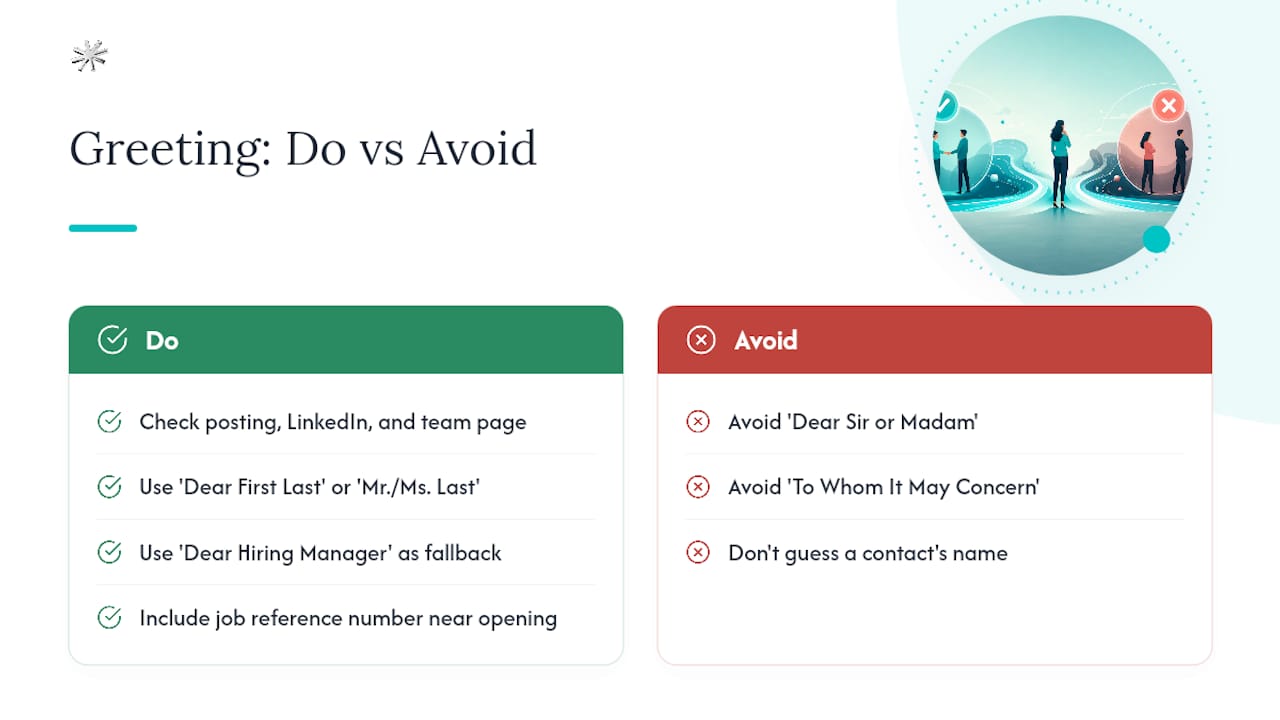
Always try to find a name first. A specific greeting signals you did your homework, and it's a small effort most applicants skip. Check the job posting for a listed contact, search the company's LinkedIn page for the hiring manager or team lead, or look at the "About" or "Team" page on the company website.
When you find a name, use "Dear [First Name] [Last Name]" or "Dear Mr./Ms. [Last Name]" if the culture feels more formal. Skip "Dear Sir or Madam" and "To Whom It May Concern" entirely. Career advisors consistently flag these as outdated and impersonal, and they can make your letter feel like it was mass-produced.
When no name is available anywhere, even after checking the posting and the company site, "Dear Hiring Manager" is the accepted fallback. It's specific enough to the role without pretending you found a name that doesn't exist. Avoid guessing a name incorrectly; getting someone's name wrong is worse than using a generic greeting.
If the job posting includes a reference number or requisition code, include it near your opening line or in your subject line. Including that code helps HR match your application to the correct opening, especially at larger companies running dozens of parallel searches. It's a small detail, but it shows attention that a generic template can't fake.
A Quick Note on Why Formatting Matters More Than You Think
Formatting isn't decoration, it's the first filter your letter passes through, often before a human even reads the words. A hiring manager scanning 150 applications makes snap judgments based on layout consistency long before they evaluate your sentences.
Draft today. Tailor tomorrow. Apply with confidence once the structure is locked in, because a well-formatted letter frees you to focus entirely on the story you're telling, not whether the margins look off.
Ready to Write a Letter That's Actually Tailored?
Formatting gets you past the first scan, but the words still have to connect your background to the specific role. That's the part most applicants rush, and it's exactly where Nuecareer's tools save the most time. Instead of guessing which achievements to highlight, Nuecareer's free cover letter generator builds a tailored draft from your resume and the job posting in minutes, using the same structure and tailoring principles covered above.
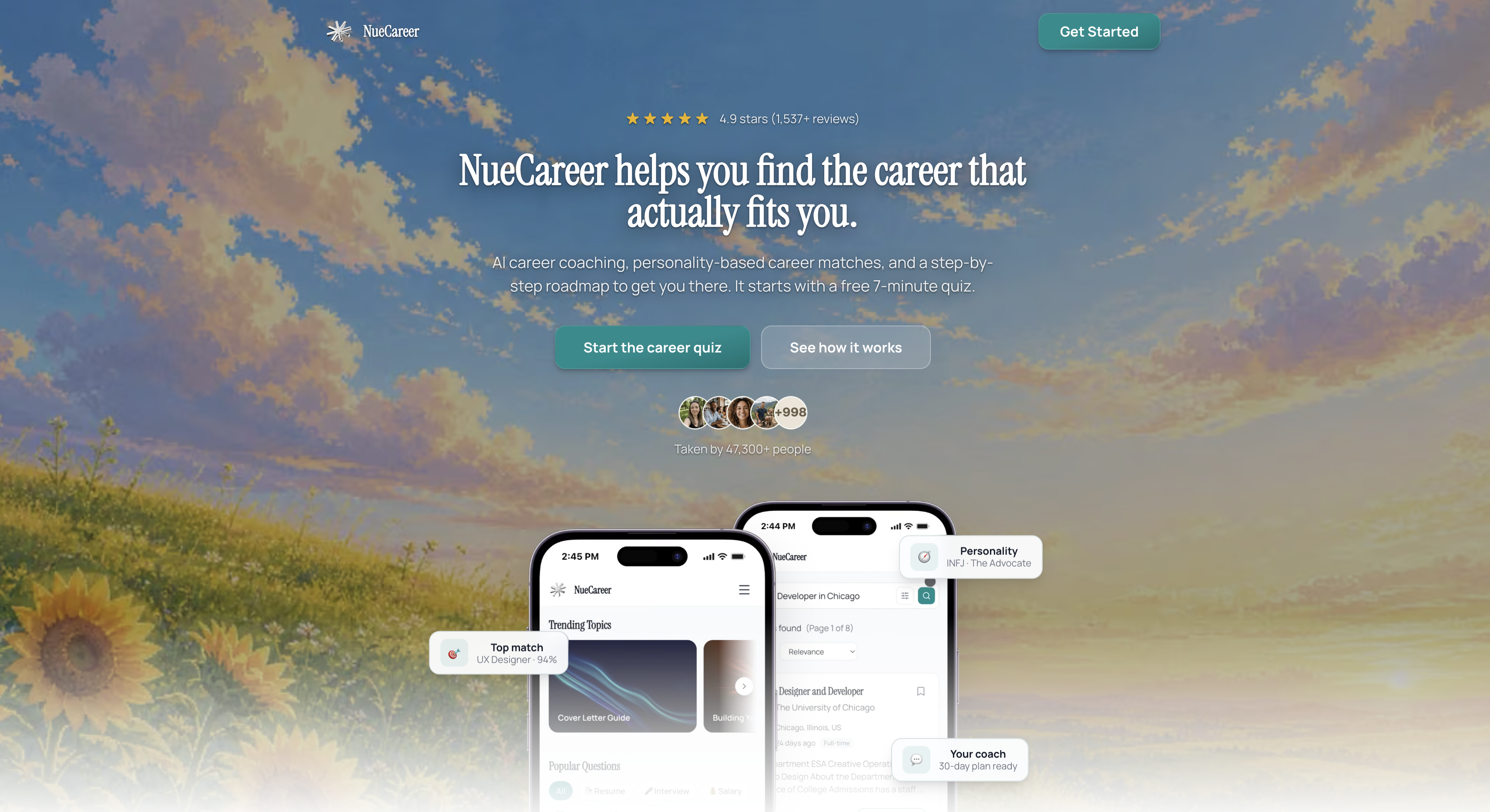
If you're not yet sure which roles actually fit your strengths, start with the 7-Minute Career Quiz. It matches you to career paths, including ones you may not have considered, so your cover letter opens with a role you're genuinely suited for, not just one you found on a job board. From there, personalized roadmaps and 24/7 coaching chat help you carry that momentum into the rest of your application. Take the quiz, generate your draft, and tailor it with real details before you hit send.
Sources
- Cover Letter Resources - University Career Center
- How to write an effective cover letter – Career Advising & Professional Development | MIT
- How to Format a Cover Letter: A Step-by-Step Guide for Job Seekers | Grammarly
- Cover Letter Format: The Exact Structure That Gets Read in 2026 | Resume Optimizer Pro
- How to write a cover letter | National Careers Service
FAQ
What Are the Three Golden Rules of Writing a Cover Letter?
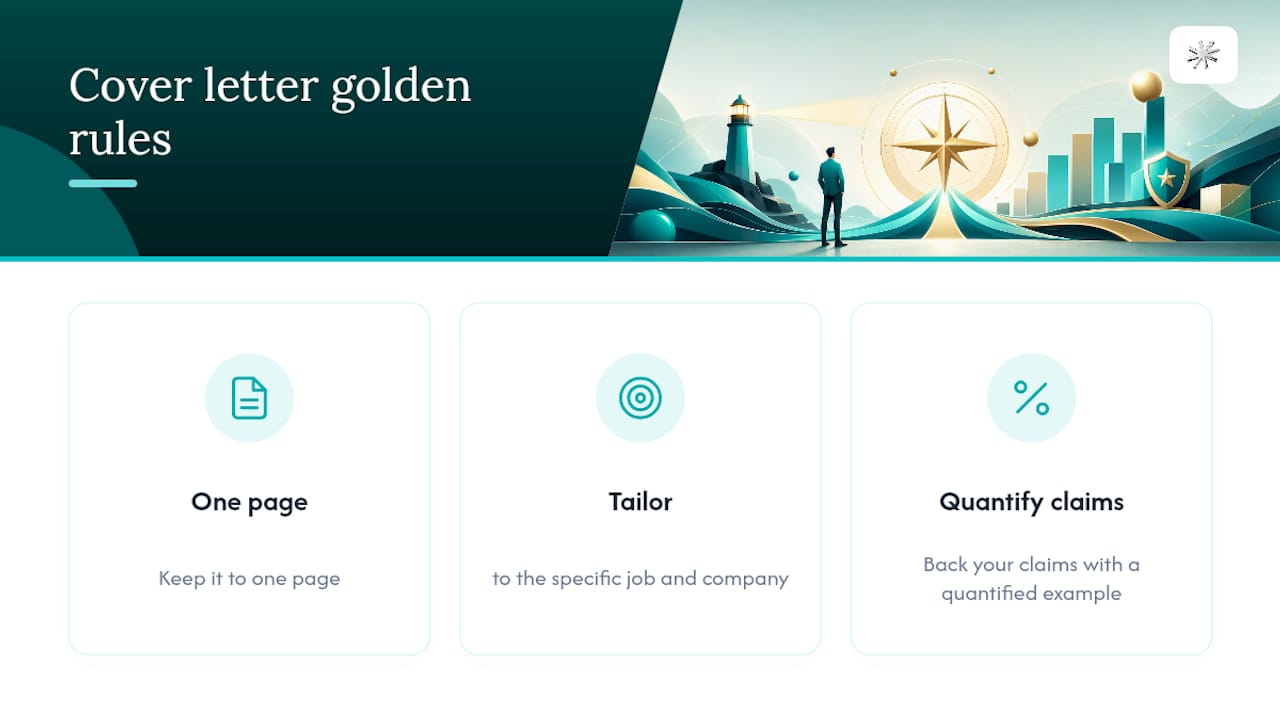
Keep it to one page, tailor every letter to the specific job and company, and back your claims with a quantified example rather than vague statements about your skills.
How Long Should a Cover Letter Be?
One page, typically 250 to 400 words across three to four paragraphs.
What Font Size Should a Cover Letter Use?
Use 10 to 12 point font in a readable professional typeface like Calibri or Arial, matching whatever font you used on your resume.
Should I Address My Cover Letter to a Specific Person?
Yes, whenever you can find a name. Use "Dear Hiring Manager" only when no name is listed anywhere in the posting or on the company site.
Can I Use AI to Write My Cover Letter?
AI tools work well for structure and grammar, but you should always personalize the output with your own real examples. Tools like Nuecareer's cover letter generator pair AI drafting with job-specific tailoring.